
A self assessment that identifies your highest ROI automation opportunities and what to build first
A completed AI maturity score, a ranked shortlist of 5 automation candidates with ROI, difficulty, and risk ratings. And one workflow built, tested and live with a dedicated owner and a weekly metric tracking its performance.
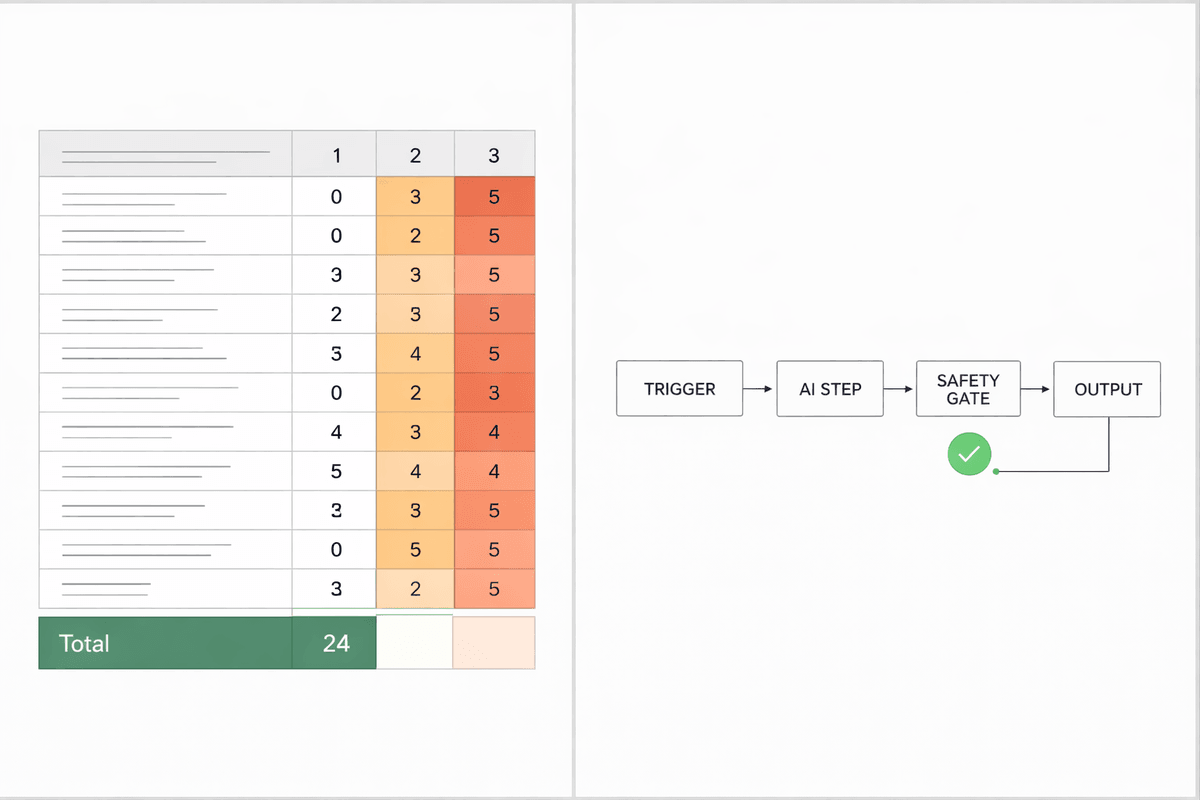
1. Pick ONE audit scope: sales, support, marketing, operations, or finance. And write it at the top of a blank document.
2. Write three outcomes you want AI to move, each tied directly to revenue or hours saved per week.
3. List 8 recurring tasks inside your chosen scope and record four things for each: how often it runs, how long it takes, how error-prone it is (low/medium/high), and its dollar impact.
4. Rate your AI maturity by scoring 12 readiness questions from 0–5 each and adding up the total.
5. Select 3 workflow candidates from your task list. Focus on tasks that repeat often, sit close to revenue, and are currently done manually.
6. Map each workflow in plain language across six fields: trigger, inputs required, current steps, owner, what a good output looks like in one sentence, and known exceptions.
7. Identify the single step in each workflow where a human creates the bottleneck and label it as one of: response time, decision latency, quality loops, or capacity ceiling.
8. Assign a core AI function to each workflow. Choose one: classify, summarise, draft, route, score, extract, or transform.
9. Score your top 5 candidates on ROI, difficulty, and risk, then select the one with the highest ROI and lowest difficulty to build first.
10. Choose a safety gate for your selected workflow before you build anything: approval mode, shadow mode, or threshold mode.
11. Build the workflow in this exact order: trigger → AI step → output destination → safety gate → logging. Then test it against 10 real inputs covering clean data, messy data, and edge cases.
12. Assign one owner, pick one metric to track weekly, and use Find AI Now to match the right tools and agencies to your remaining automation candidates.

Meet your AI thinking partner for any complex task.
Step 3 - Baselining your tasks:
- Template for each task: name / frequency per week / minutes per run / error rate (low/med/high) / dollar impact.
- Write "unknown" where you can't estimate, rough numbers are enough to prioritise.
- Do not skip this step. Tasks with no baseline number almost always get deprioritised incorrectly.
Step 4 - AI maturity scoring:
- Rate each of these 12 questions from 0–5:
(1) you have a clear system of record for leads, customers, or projects;
(2) key data fields are consistent and updated at least weekly;
(3) repeatable workflows are written down somewhere;
(4) exceptions that break workflows are documented;
(5) tools pass data between each other without copy-paste;
(6) automations exist and are running today;
(7) someone owns your automations and checks them weekly;
(8) prompts are stored and reused rather than rewritten each time;
(9) "good output" is clearly defined for your key tasks;
(10) at least one weekly metric is tracked per workflow;
(11) customer-facing actions have a human safety gate;
(12) hours saved or cost saved from past improvements are being tracked.
- Score interpretation:
0–15 = foundations are missing, start with one safe internal workflow only.
16–30 = ready for 2–3 automations with approval gates.
31–50 = ready for multi-step workflows, governance, and ROI reporting.
If you cannot prove something exists in your current setup, score it 0–2.
Step 6 - Mapping workflows:
- If you cannot write the definition of good output in a single sentence, do not automate, document the process first, then return to this step.
- A workflow without a clear success definition will produce bad output at scale, not just occasionally.
Step 8 - Classifying the AI function:
- Classification: tagging, categorising, routing. Extraction: pulling key fields from emails, forms, or call transcripts.
Summarisation: compressing messy inputs into structured notes.
Drafting: replies, proposals, follow-ups. Scoring: leads, urgency, risk.
- Picking the correct function makes the right tool category obvious. If this step feels unclear, the workflow is not yet well-defined enough to build.
Step 10 - Safety gates:
- Approval mode: a human reviews every output before it is sent or acted on.
- Shadow mode: the workflow runs silently for 10–50 test cases before going live.
- Threshold mode: output only fires if it meets a defined confidence rule you set in advance.
- Default to approval or shadow mode for any customer-facing workflow on the first run, regardless of your maturity score.
Step 11 - Building and testing:
- Build one workflow only, do not start a second until the first hits its metric target.
- If more than 30% of test outputs fail, revise the prompt and retest before going live.
- Build time varies from 60 to 120 minutes depending on how many systems are involved.
Step 12 - Metric, owner, and next step:
- Metric options: median response time (target under 15 minutes), approval rate (target 70%+ shipped without revision), maintenance ratio (target: maintenance hours should not exceed 25% of hours saved).
- Engage an agency if the workflow is customer-facing with medium or high risk, spans more than two systems, or has no internal owner to maintain it.
- Recommended next blueprint based on your constraint: if response time is the bottleneck, build the Automated Intake System next. If quality and revision loops are the issue, go to the Quality Layer blueprint. If nothing is documented yet, start with the Workflow Mapping + SOP blueprint.
General:
- Audit one function only. Auditing the whole business at once produces a long list and zero execution.
- The best workflows to automate sit on the revenue critical path: inbound lead follow-up, support triage, onboarding handoffs, and reporting that drives decisions.
- Avoid automating interesting tasks first. Interesting rarely equals profitable.
- The three hard stop rules:
(1) If you cannot define good output in one sentence, do not automate, document first.
(2) If output quality is unstable, do not scale, add an approval gate and track approval rate.
(3) If your maintenance ratio will exceed 25%, stop building and simplify the workflow.
Share it with your network