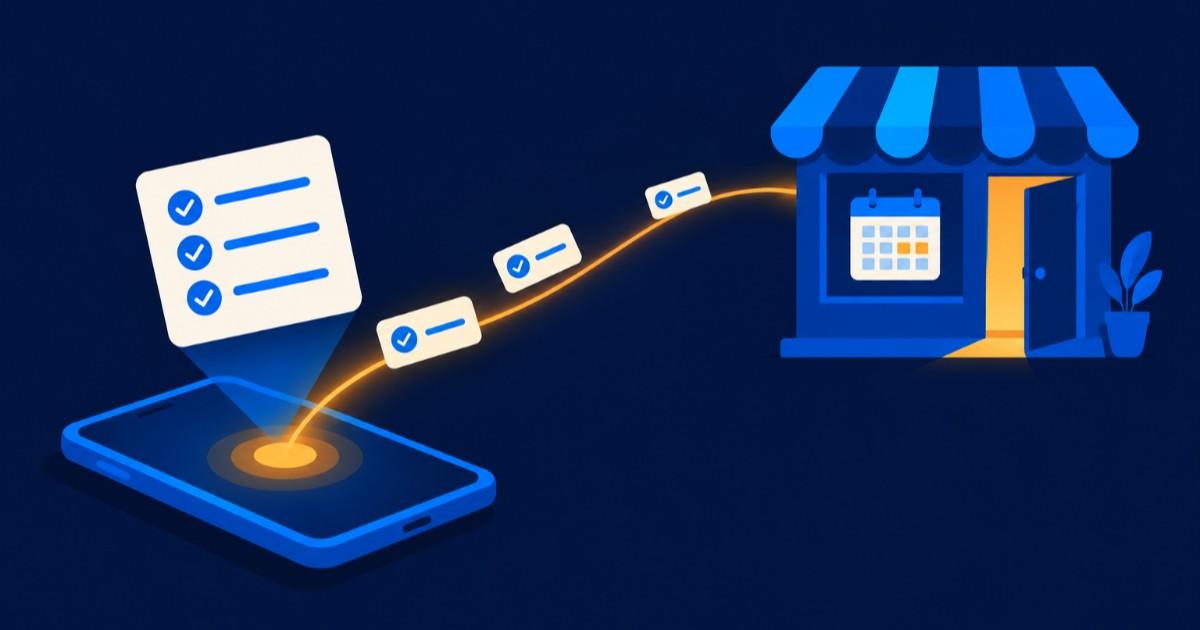
On 17 November 2026 Google made Tasks in Gemini free in six countries, and Australia is one of them. Tasks is the part of the Gemini app that does a job for you rather than answering a question: it browses websites, fills in forms, makes files and works across Gmail, Calendar and Drive.
People are already typing "gemini tasks" and "gemini tasks vs chat" into Google. Most of what comes back is written for the US, where Gemini can now also phone businesses for you. That part has not reached Australia.
So there are two questions for an Australian business owner. Can you use it for your own work? And what happens when your customers start sending an agent to your website instead of visiting it themselves?
Key facts
- Google announced on 17 November 2026 that Tasks in Gemini is free in the US, Japan, Korea, Canada, Australia and India.
- Google's help page says Tasks needs a personal Google Account and is not available for now on work or school accounts.
- Google's help page says Gemini can only make phone calls to US phone numbers, and calling needs a user in the US with a US SIM.
- Google says Gemini is designed to ask for confirmation before it sends messages, deletes data, makes a purchase or fills in a web form.
- Google warns that Tasks is experimental, can make mistakes, and can be misled by instructions hidden in websites, emails or documents.
Quick answer: anyone in Australia aged 18 or over can now use Gemini Tasks free on a personal Google account, for research, files and web jobs. It does not work on a Google Workspace business account yet, and it cannot phone Australian numbers. Keep client and customer data out of it until it reaches business accounts, and check that your own website lets an agent find your hours, prices and booking form without a fight.
What Gemini Tasks does
You open the Gemini app and flip the toggle at the top of the home screen from Chat to Tasks. Then you describe the job. Google's examples include booking a car service, working out why a power bill was high, and buying an item at the right price.
Google's help page lists what it can do on a personal account:
- Compile research with cited sources and turn it into a PDF, document, spreadsheet or presentation.
- Tidy email: summarise or archive newsletters, build a to-do list, unsubscribe from lists.
- Watch flight and hotel prices and tell you when they fall within your budget.
- Complete web jobs such as shopping, booking travel or making a restaurant booking.
- Work in Calendar, Gmail, Docs, Sheets, Slides, Drive, Keep and Google Tasks.
Tasks can run on a schedule. Google's help page asks people not to schedule anything sensitive, because a scheduled task that runs while you are offline may do something you cannot stop in time.
What is open in Australia and what is not
| Feature |
In Australia? |
What Google says |
| Tasks in the Gemini app |
Yes, free |
Free in the US, Japan, Korea, Canada, Australia and India from 17 November 2026 |
| Who can use it |
Personal accounts, 18 and over |
Not available for now on work or school Google Accounts |
| Phone calls to businesses |
No |
Only to US phone numbers, from users in the US with a US SIM |
| Texting Gemini |
No |
Needs a US phone number with an eligible carrier |
| Forwarding emails to Gemini |
Not yet |
Starts in the US |
| Web browsing, files, Gmail and Calendar |
Yes |
Available where Tasks is available, with confirmation steps |
Checked on 21 November 2026, from Google's announcement and the Gemini Apps help pages.
The line that matters most for a business is the second one. If your team signs in to Gmail with a Google Workspace account, Tasks is not there for them. Using it for business work means using a personal account, and our review of Gemini notes that Google says data shared from a personal account into the Gemini app can be used to improve its models.
Using it for your own work
The safe jobs are the ones that use public information and your own time: researching suppliers, comparing equipment, pulling together a summary of a new rule, drafting a spreadsheet you will check. What to do first:
- Try it on one job you would otherwise do by hand this week, with nothing private in it, and read every step it took.
- Keep customer names, client files, tax file numbers and anything under a confidentiality agreement out of a personal account. That is the same rule we give for any free assistant.
- Do not type passwords or card numbers into the task thread. Google's own help page says to take control of the browser instead.
- Leave purchases on "ask me first". Google lets you choose "Always allow" for routine actions; for anything that spends money, don't.
If your business already pays for an assistant, compare before you move anyone. ChatGPT and Microsoft Copilot both offer business plans with admin controls, and agents such as Manus take multi-step research jobs too, on credits. Our post on choosing an AI assistant for the whole team sets out the differences.
When the customer is an agent
The bigger change is on the other side of the counter. Google says Tasks can book, shop and fill in web forms for people in Australia now. Some of the people who would have visited your website will send Gemini instead.
Our view: an agent reads your site the way a hurried customer does, only more literally. It has the best chance when your opening hours, prices, service area and booking form are on the page as text. It has less to go on when the answer is in a PDF menu, a picture of a price list, or a form that needs a phone call to finish. Google says that on some sites Gemini does most of the job and hands the screen back for the person to press the final button.
Phone calls are a US matter for now. In the US, Gemini says at the start of each call that it is an AI assistant from Google calling on a recorded line, and Google lets a verified business turn off automated calls from Google in its Business Profile settings. That settings page does not mention Gemini by name, so if those calls reach Australia, check the page again then.
The catch
Google calls Tasks experimental and says it can make mistakes. It also names prompt injection: instructions hidden in a website, email or document that could steer the agent into doing something harmful, such as exposing private data. An agent with access to your Gmail and the sites you are signed in to is worth that warning.
Two more limits from Google's help page: usage has compute limits that rise with paid plans, and Gemini can make bulk changes to items in Google Tasks without asking. Neither is a reason to avoid it. Both are reasons to start small.
Questions people ask
Is Gemini Tasks free in Australia?
Yes. Google made Tasks in Gemini free in Australia on 17 November 2026, along with the US, Japan, Korea, Canada and India. You need a personal Google Account and to be 18 or over. Usage has limits that rise with Google's paid plans.
What is the difference between Gemini Tasks and Gemini chat?
Chat answers questions. Tasks does the job: it opens websites, fills in forms, works in your Gmail, Calendar and Drive, and makes files such as spreadsheets and presentations. You switch between them with the Chat and Tasks toggle on the Gemini app's home screen.
Can Gemini call my business in Australia?
Not yet. Google's help page says Gemini can only call US phone numbers, and the person asking must be in the US with a US SIM. If it reaches Australia, the US rules suggest calls will open with a clear statement that an AI from Google is calling on a recorded line.
Can my staff use Gemini Tasks on our Google Workspace accounts?
Not for now. Google's help page says Tasks is not available on work or school Google Accounts. Staff using it would be on personal accounts, which do not carry business data protections, so keep client and customer information out of it.
Is it safe to let Gemini buy things for me?
Google says Gemini is designed to ask before any purchase or financial transaction and will not share payment details unless you tell it to. Set a budget, keep the "ask me first" setting for anything that spends money, and check the receipt. Google also warns that hidden instructions on a website can mislead the agent.
Where to start
- Check how assistants already describe your business with an AI Search Visibility Audit, which looks at what ChatGPT, Gemini, Claude and Perplexity say about you.
- Read what changed when businesses arrived in ChatGPT, the other half of the same shift.
- Want help making your bookings and enquiries work for agents as well as people? Describe the job to the Concierge or browse AI agencies.
Sources checked on 21 November 2026: Google, "Put Gemini to work for you", 17 November 2026 (the six countries, the Chat and Tasks toggle, US-first features, confirmation before buying, tasks that may fail); Gemini Apps Help, manage your tasks (personal accounts only, 18 and over, what Tasks can do, confirmation rules, prompt injection and scheduling warnings, compute limits); Gemini Apps Help, phone calls (US numbers only, the opening disclosure, daily call limits); Google Business Profile Help, automated calls (how a verified business turns off automated calls from Google); Android Authority, 17 November 2026 (independent report of the change from paid to free, and of Gemini disclosing it is an AI on calls); our Gemini review (personal account data and model improvement).